After the checkout confirmation, most brands vanish. The customer refreshes a carrier page they don't recognize, searching for proof that their order is real. That silence generates support tickets, erodes trust, and turns anticipation into anxiety.
ICANIWILL, shipping over 400,000 orders a year, cut delivery-related customer questions by 50% after replacing that silence with nShift Track. Their shipping confirmation emails now achieve a 25% click-through rate, against an industry average of around 18%.
In our upcoming live session titled Silence isn’t golden: Three tracking automations to stop delivery chasing, we open up the exact configuration playbook behind results like these: live product walkthroughs, real setups, replicable automations.
When: 26 March 2026 · 12pm GMT / 1pm CET · 30 mins
Format: 30 minutes, live demo
Who should attend: CX leads, ecommerce managers, operations and last-mile leaders
.webp?width=1600&height=800&name=Solved%20-%20Track-title%20copy%20(1).webp)
The price of post-purchase silence
A customer places an order, gets a confirmation email, then nothing. Maybe a plain-text carrier message lands in their spam folder a day later. Maybe it doesn't. So they do the only rational thing: contact support.
That inbound message costs money, takes agent time, and lowers satisfaction scores. And it is entirely preventable.
Before moving to nShift Track, ICANIWILL's only post-purchase communication was a basic warehouse email linking to a carrier portal. This session is designed to help you build the same fix.
The only way we were communicating directly with our customers in regards to their orders was a basic email from the warehouse. It contained a URL which directed them to the portal of the shipping company. It was ugly and not at all reflective of the brand we had created. - Pontus Eriksson, Chief Operating Officer, ICIW
What you will learn: The tracking automation playbook
The session walks through each setup demo by demo.
 Branded tracking: One destination, zero confusion
The first demo shows what happens when you give customers a single, on-brand page for order status, instead of sending them to a carrier site.
Most carriers display raw, technical status updates. "Consignment at regional hub" means something to a logistics professional. To a customer waiting for a birthday gift, it means nothing. Worse, it means your brand is absent from the moment they care most about.
nShift Track solves this with two capabilities working together:
- Branded tracking pages. Configure your own tracking page with your logo, colors, hero banners, fonts, and campaign imagery. Customers stay on your brand from order confirmation through delivery. You control the contact information, the return policy, the full visual identity.
- Normalized status language. Every carrier uses different terminology. nShift normalizes those raw carrier statuses into clear, consistent language your customers actually understand. "Shipment item is in transit to destination" becomes "Out for delivery." One vocabulary, regardless of which carrier handles the parcel.
"nShift has significantly improved our post-purchase experience which has reduced calls to our customer service team, improved our brand perception and boosted our bottom line." - Head of E-commerce, Quiz, achieving 5x the average email marketing CTR on branded post-purchase communications.
Milestone notifications: tell customers before they ask
The second demo moves into the notification engine. This is the mechanism that turns passive tracking into active communication.
Most brands wait for customers to come looking. By then, the experience has already soured. Proactive milestone notifications flip that dynamic: the brand reaches out at key delivery moments, keeping the customer informed and cutting the impulse to check, chase, or call.
Here is what nShift Track lets you configure:
- Email and SMS templates built with a drag-and-drop editor. Start from scratch or customize a ready-made template from the gallery. Each template supports dynamic merge tags (order number, carrier name, tracking URL, receiver name, delivery window, pick-up point address, and dozens more), so every message is personalized to the shipment.
- Branded sender identity. Send from your own verified email domain with full SPF and DKIM authentication. Your notifications arrive from you, not from a generic no-reply address.
- Localized templates. Shipping to the Nordics, Germany, and the UK? Create localized versions per language and destination country. The system automatically matches the right template to each shipment based on shipment language and destination. A Swedish customer gets a Swedish email. A German customer gets a German one. No manual sorting.
- Trigger profiles. Each template is linked to a notification profile that defines when it fires. Standard triggers include events like "Shipped," "Out for delivery," "Delivered," or "Exception." Custom triggers let you specify any normalized event category.
- Quiet hours and filters. Prevent notifications from sending during specific hours. Filter by carrier, location, or installation, so a specific template only fires for DPD shipments, or only for your UK warehouse.
Customers hear from you at the moments that count. The "where is my order?" question is answered before it is asked.
The feature most teams don't know exists: non-event triggers
This is the capability that separates basic tracking from intelligent delivery management.
-
Event triggers are straightforward: something happens (a parcel is scanned, a delivery is attempted), and the system reacts. Most tracking platforms stop here.
-
Non-event triggers work in the opposite direction. They fire when something should have happened but didn't.
Consider a parcel marked "Out for delivery" on Tuesday morning. By Thursday, no "Delivered" event has come through. A basic tracking setup does nothing. A non-event trigger notices the silence and acts: it sends the customer a proactive message ("We noticed your delivery is taking longer than expected, here is your updated tracking link") and fires an internal alert to your operations team so they can investigate before the customer calls.
In the session, we walk through the configuration of both types.
- Event trigger example: when an exception event arrives (a failed delivery attempt, for instance), the system immediately sends the customer a branded notification with next steps and notifies your CX team.
- Non-event trigger example: if no "Delivered" event is received within a defined threshold after "Out for delivery" (or after the carrier's estimated delivery date), the system proactively alerts the customer and escalates internally. You define the threshold, the template, and the escalation path.
This dual-trigger model gives you a complete operating picture. You prevent contacts by keeping customers informed. You recover faster by surfacing risk before customers call. And you improve over time by monitoring which scenarios trigger the most alerts.
As ICIW's COO put it: "The customer event function means that if something should have happened but didn't, a notification is triggered so we can proactively keep the customer informed of delays or, even better, solve the issue before the customer knows about it."
Beyond the automations: the operational view
The session closes with a practical look at the features that complete the picture once automations are live:
- The customer service view. When a customer does contact you (it will still happen, just far less often), your agent can search by barcode or order number directly and see the full shipment history, events, and status in one screen. No toggling between carrier portals.
- The monitoring dashboard. The Track & Trace reporting screen gives you the performance data to run a weekly improvement loop: which triggers fire most, which carriers produce the most exceptions, where your non-event alerts cluster.
This is how you move from "we set it up" to "we are improving delivery experience every week."
Who gets the most value from this session
A 30-minute session built around practical setup, not theory.
- Customer experience and support leaders who want to reduce delivery-related contacts without adding headcount. These are the automations that drive 50% reduction in delivery queries.
- Ecommerce and digital leaders who want a branded, consistent post-purchase experience that matches the standards they set at checkout. If your tracking currently sends customers to a carrier page, this session shows you the alternative.
- Last-mile and operations leaders who want earlier visibility into exceptions and fewer escalations. Non-event triggers give you a head start on problems that would otherwise surface as customer calls.
What you can't get from a product page
You can read about nShift Track on our website. You can browse our Help center documentation. What this session gives you is context: seeing configurations built, understanding the logic behind trigger design, and hearing how to prioritize your setup (branded tracking first, then notifications, then triggers).
Every automation is shown inside a pre-configured environment. Nothing is built from blank screens. You leave with a clear mental model for event vs. non-event triggers and a replicable setup you can bring to your team the same day.
Register now
 Seats are limited and the session only runs once, so stop chasing deliveries and start managing them.
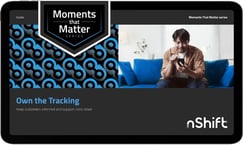
Bonus: register and we will send you the Own the Tracking guide, a practical playbook on turning post-purchase visibility into branded engagement. Yours to keep, even if you can't attend live.