Transport Management System (TMS)

From first label to global scale

Start lean with reliable booking, labels, and tracking. Add cost control, carrier choice, emissions reporting, and analytics when you’re ready. All in one TMS that grows from fast-scaling brand to enterprise. No replatforming required.

leadspace-image-tms

Trusted connectivity, ready on day one

ups-logo-400
gls-logo-400
DHL-logo-vector
postnord-logo-400
dpd-logo-400
movebbike-logo-400
db-schenker-logo-400
fedex-logo-400

Why startups, scale-ups and enterprise choose nShift

Enterprise

  • Governance at scale: roles/rights, limited supplier access, and SSO for teams and partners. TMS Functionality list (PDF) Product functionalities
  • Enterprise-grade collaboration: own domain groups, Control Tower, customised notifications, transport-event integration, and mobile status via QR (SDS). Product functionalities
  • Sustainability & reporting: calculate transport emissions using NTM-based factors or your own values via microservice. Emissions Tracker

Scale-ups

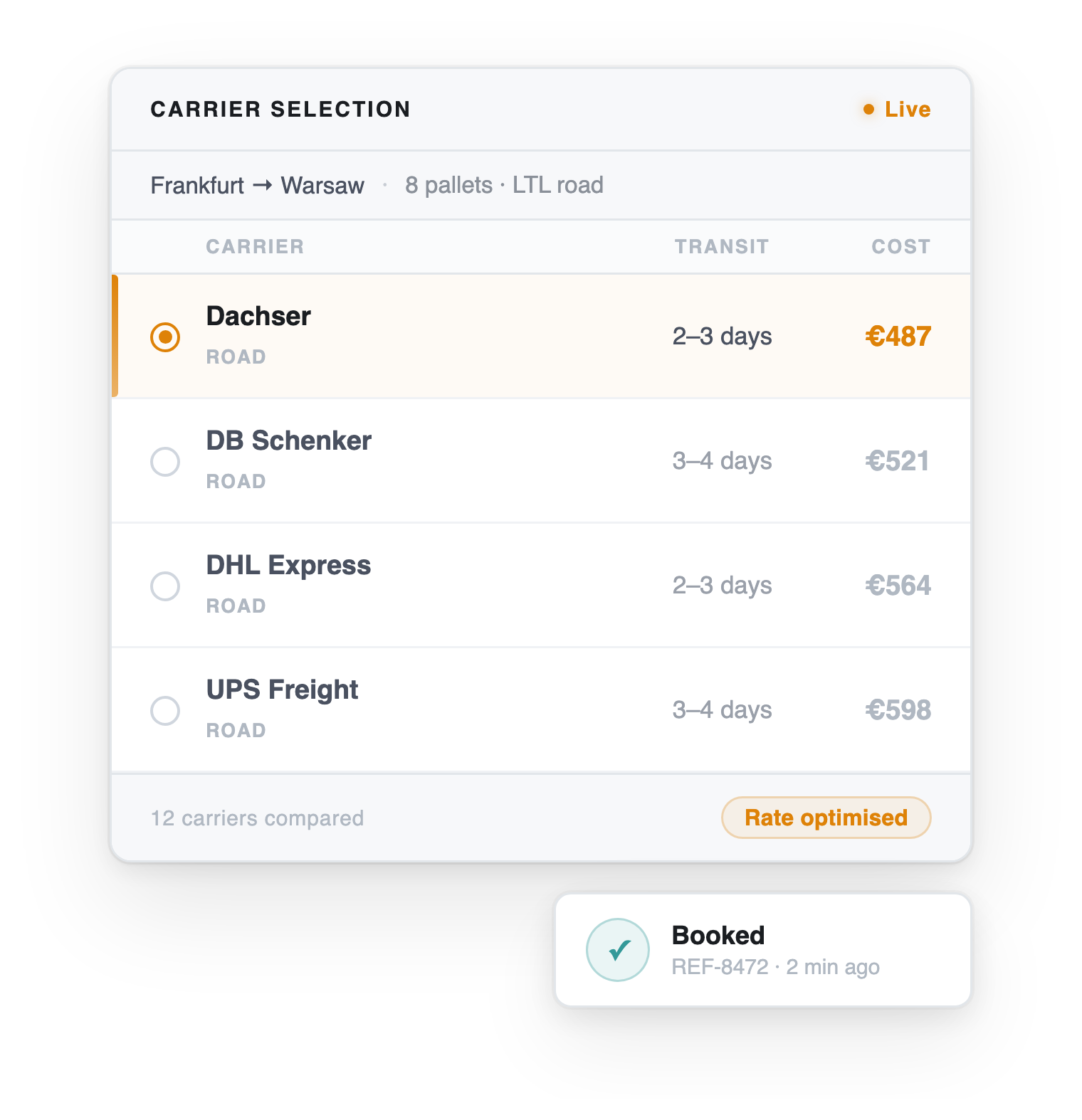
  • Turn shipping into a lever: select carriers by price, lead time, ranking, cut-off, or carbon footprint; calculate freight via your tariffs or carrier APIs. TMS Functionality list (PDF)
  • Scale without extra headcount: automate labels/documents and proactive notifications; surface status with Track & Trace. Track & Trace – Help Centre
  • Grow your network: add services from the Carrier Network, including PUDO/out-of-home. Carrier Network

Startups

Outcomes you’ll see:

20% fewer

manual hours
(operational efficiency) 

Up to 7% lower

freight costs
(smarter carrier selection)

Up to 5% higher

revenue
(better delivery promise → more conversion) 

How growth works here

tms-how-growth-works-image

How growth works here

tms-how-growth-works-image

Phase 1 - Ship reliably (start now)

Book and print in a web interface, then give customers Track & Trace with public tracking links.

How growth works here

tms-how-growth-works-image

Phase 2 - Optimise cost & speed

Enable Carrier Select to choose by price, lead time, ranking, booking cut-off or carbon footprint; calculate freight costs using your own tariffs or carrier APIs.


How growth works here

tms-how-growth-works-image

Phase 3 - Prove and improve

Push shipment data into Analytics (Qlik Sense), and report transport emissions using standard (NTM-based) factors or your own values via microservice.

What you can achieve

Component icons-all_Track-black

Greater visibility, fewer surprises

Digitise critical steps, surface real-time status, and strengthen customer loyalty with branded tracking. 

Component icons-all_Connectivity-black-4

Carrier choice without complexity

Choose from 1,000+ carriers (including PUDO/out-of-home) maintained by nShift for fast onboarding. 

icon-platform

Automation that pays for itself

Auto-select carriers, auto-print documents, auto-notify customers and internal teams. 

Component icons-all_Emissions-black

Returns and emissions, covered

Make returns easier to restock and calculate emissions alongside operations. 

Looking for technical assistance
or specific product information?

Visit the nShift Help Center

Feature highlights (by module)

Every system connected. Every handoff seamless.

data-fabric-icon_Unified-data-ingestion

Core

  • Web interface for booking and label/document printing
  • Configurable consignment lists, templates & consolidation
  • Track & Trace with public links and notifications
  • Dangerous goods & customs data transfer
  • Integration options: FTP, HTTP/S POST, Excel importer, Web Service, Apport Connect
  • Advanced user management (roles/rights; limited supplier access)
data-fabric-icon_Intelligent-normalization

Cost (incl. Carrier Select)

  • Freight cost calculation (your tariffs via Libello or carrier API)
  • Lead-time info (Libello)
  • Carrier selection by price, lead-time, ranking, cut-off, carbon footprint
  • Spot prices & additional cost per consignment
  • Instant price push (XML via FTP/SFTP/HTTP POST) 
Component icons-all_Emissions-black

Emissions

  • Standard calculation for European shipments (NTM-based)
  • Emission values available in lists, reports, exports & Analytics
  • Custom emission values via microservice 
icon-people

Collaborate

  • Own domain group (multi-domain admin) & Control Tower
  • Complement consignment (update events/status via link)
  • Customised notifications; mobile status via QR (SDS)
  • Transport event integration; SSO; custom branding 
data-fabric-icon_Analytics-visibility

Report

Features

Feature

8 /month

Feature

Core Module

nShift TMS web interface
Access to the nShift TMS web interface for transport management including pages to register shipments, follow-up shipments and settings.
Configurable consignment list pages
Consignment listpage with Saved Searches, Comments and Customized Domain Filters.
Consolidation
Consolidate multiple shipments to the same destination in the web interface.
Report center
Shipment data reports, configurable from a predefined data set.
Templates
Pre-stored static shipment information for easy booking and to support integrations.
One shipping location
Shipping from one physical location including return shipments and inbound shipments from external suppliers.
Advanced user management
Self-service user management including user profiles, user creation and admin access to user accounts. Limited access for external users including suppliers and other partners. 10 users/suppliers included.
Inbound shipping
Assign user accounts to suppliers and allow them to book inbound shipments to allow for more control over the Supply Chain
Track and Trace
Track and trace on shipments available to users in web interface and to external stakeholders through a public tracking link.
Pre-advice notification
Pre-advice notification sent at the time of shipment creation, including tracking link.
Label Printing
Label printing directly from the web interface, including an optional print client for one click printing (Apport Printer).
Generic carrier labels
Printing of generic documents for in-house fleet shipments ("own carrier"). No booking e-mail or files sent to carriers.
Integration interface
Access to standard domain integration interfaces (FTP, HTTP POST, HTTP upload/Excel importer, WebService or Apport Connect)
Dangerous goods data to carrier
Possibility to enter dangerous goods information on shipment level and have it forwarded to the carrier.

Customs data to carrier
Possibility to enter customs information on shipment level and have it forwarded to the carrier.

Freight payer management
Carrier customer number can be sender, receiver or third party payer. These can be predefined through the use of templates.


Address book
Store frequently used addresses for easy access
Attach documents
Upload and attach documents to shipments
Customer support
Support via Help Centre web-form and phone. Please see separate documentation for the response times and opening hours.

Cost module

Freight cost calculation
Price calculation using own tariffs through the partner Libello or from the carrier's API. 10 own tariffs with Libello included.
-
Lead time information
Lead time data in Libello tariffs
-
Carrier Select
Select the most suitable carrier based on price, lead time, booking cut-off time or carbon footprint (carbon footprint requires the Emissions module)
-
Spot price and additional cost onshipments
Capability for storing spot prices and additional costs on the consignment list page
-
Instant price push
Standard price XML pushed (FTP, SFTP or HTTP POST) based on a specific event.
-

Emissions Module

Standard emissions calculation
Emission calculation on shipment level using nShift's standard emissions factors for Europeanshipments.
Emissions values in list view, reports and data exports
Emission values visible in list pages and reports. Also visible in Analytics and Carrier Select when applicable
Custom emissions values self-service
Custom emission values uploaded, stored and accessable for emission calculation on consignment level through the emission tariff microservice.

Collaborate Module

Own domain group
One own domain group with multiple domains
Control Tower
Control Tower enabled
Complement consignment
One complement consignment page
Customized notification
One customized notification template
Mobile status (QR code)
QR code implemented on a document and a complement consignment page
Transport event integration
Transport Event integration (FTP)
SSO (Single Sign On)
Own logotype, header image & colourscheme
Customer customization of layout limited to own logotype, header image and colour schemes
Custom dictionary translation Import
Implementation of a customer defined dictionary translation

Report Module

Analytics Business Intelligence
BI tool (Qlik Sense based) to analyze shipment data
Instant data push
Standard consignment XML pushed (FTP or HTTP POST) based on a specific event.
Standard scheduled report

Service Offering - Delivered by Professional Services

Mapped integration with business logic
Field mapping from customer's own file format, including business logic, available on a time and material basis.
Customer super user training
Creation of custom Emission Tariffs
Support in creating and uploading custom Emission Tariffs
Custom scheduled reports
Shipper Defined Carrier connection
Carrier connection implemented according to shipper specification, within nShift standard scope. Communication through e-mail or XML files.
Transport event integration
Transport Event integration (FTP)

Carrier Offering - Delivered by Carrier Management

Concept Carrier
Carrier connection build according to the carriers specifications
nShift Standard Carrier - XML
Carrier connection built according to nShifts standards, including standard file (XML) integration
nShift Standard Carrier - e-mail
Carrier connection built according to nShifts standards, including e-mail booking

Want the full feature table?

 Download the TMS feature list (PDF) 

Ready to establish end-to-end visibility?

Let’s connect your carriers, data and teams and turn delivery into a growth engine.

FAQs

Will we outgrow this in 12–24 months?

 Unlikely. With 1,000+ carriers and modular additions (Cost, Emissions, Collaborate, Report), nShift scales without a replatform. 

Do we need a big IT project to start?

No. Start with the web interface and pre-built integrations (FTP/HTTP(S)/Excel importer/Web Service/Apport Connect). Go deeper later. 

Can finance actually see savings?

Yes. Use freight cost calculation, Carrier Select and Analytics to compare carriers, spot rates and lead times objectively. 

Can we brand the customer experience?

Yes. Branded Track & Trace lets you style the tracking page and keep customers informed without tickets.